Loads
Keep ratecons, pay, miles, broker details, and load status together. On AI-enabled plans, a scan can suggest fields for you to review before saving.
AI-assisted on Solo+OTRKeychain keeps your ratecons, fuel receipts, and scale tickets in one place, then calculates the numbers behind your operation from the records you save.
From the moment you add a load to the day you review your numbers — OTRKeychain helps organize the records you enter, does the math, and shows you where you stand.
Use the tools together or one at a time. AI-assisted features are available on eligible plans and always leave the final save in your hands.
Keep ratecons, pay, miles, broker details, and load status together. On AI-enabled plans, a scan can suggest fields for you to review before saving.
AI-assisted on Solo+Record diesel and reefer fuel, gallons, price, and mileage. The saved entries feed MPG, cost-per-gallon, and IFTA-oriented reports.
Receipt assistance on Solo+Upload your scale ticket and the app helps show where to move your tandems so you do not have to work it out yourself. The weigh fee can also be offered as a Scale expense.
Ticket assistance on Solo+Capture PODs, BOLs, permits, and other paperwork as clean PDFs you can print, share, or keep with the account record.
Available across plansLog tolls, lumpers, parking, repairs, DEF, and other costs with categories and attachments. Maintenance and Scale entries can prompt the next bookkeeping step for you.
Workflow shortcutsTurn the loads and expenses you save into weekly, year-to-date, per-truck, or combined reporting, with PDF, CSV, and QuickBooks-friendly exports.
Based on saved recordsPlan weekly reserves for maintenance, IRP, 2290, tires, taxes, and future truck payments. It is a planning tool, not an automatic bank transfer.
Planning targetsSee an estimated net after the fuel, recurring costs, maintenance, and carrier percentage you have entered for the operation.
Uses your inputsKeep insurance, registration, IFTA licenses, permits, CDL, medical, and other compliance documents organized. Supported expiration dates can surface reminders before they are due.
Compliance organizerKeep monthly preventive-maintenance and repair records per truck or trailer, attach receipts, and print a maintenance report. On AI-enabled plans, receipt reading can help draft service details for review.
Receipt assistance on Solo+Review authority and contact signals, ratecon mismatches, and potential double-brokering red flags using FMCSA information and, on eligible plans, a deeper AI-assisted review.
Deep review on Solo+Three steps. No data entry marathons, no end-of-month dread.
Add a ratecon, fuel receipt, or scale ticket. On AI-enabled plans, scanning can suggest fields such as load number, pay, gallons, and weight for you to review; Basic supports manual entry.
As you save loads, miles, fuel, tolls, and carrier costs, the app brings them into your weekly and year-to-date reports.
Review calculated net profit, RPM, cost per mile, and margin from the information you have saved. Export a P&L or share it with your accountant.
Sample screens show the workflow and visual language of the app. Figures shown are illustrative.
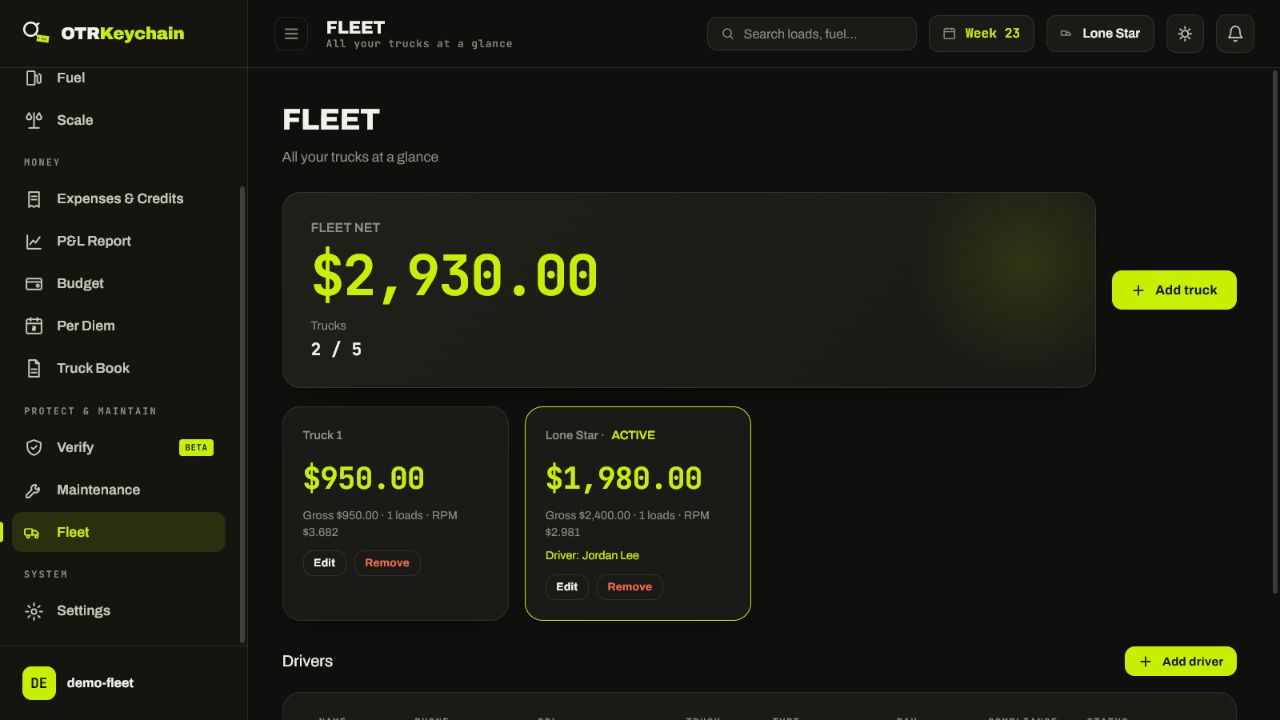
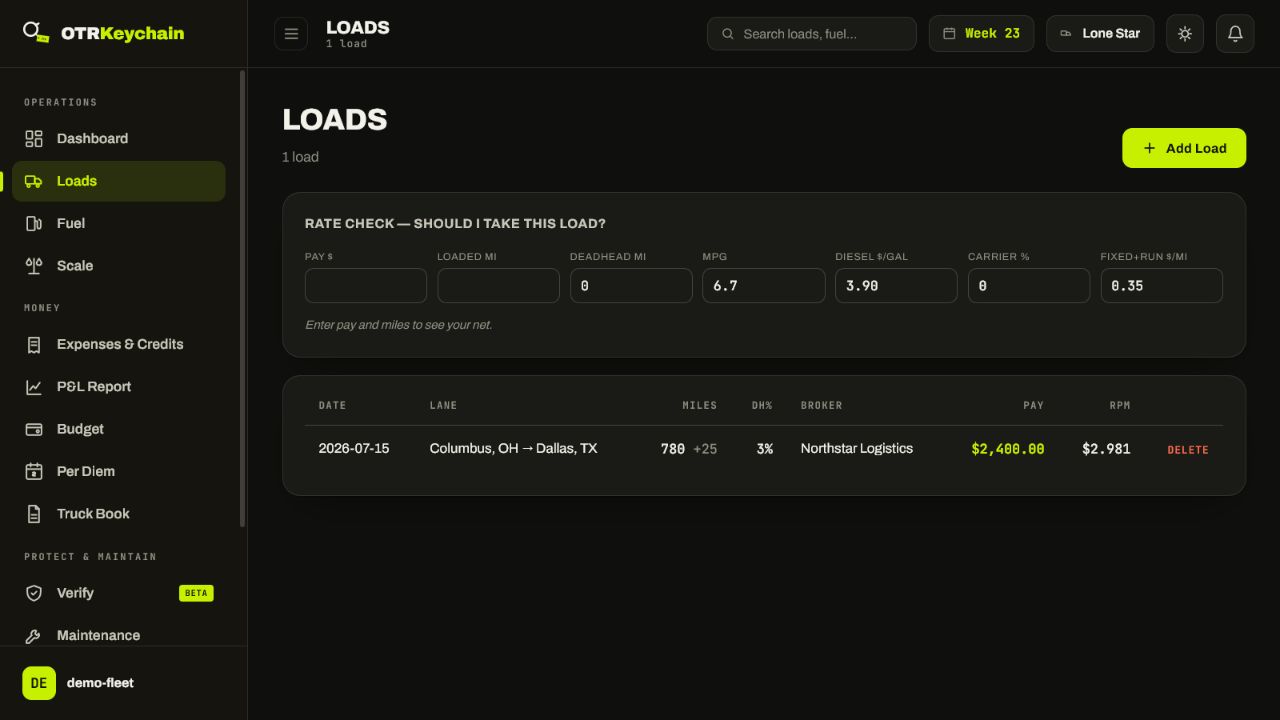
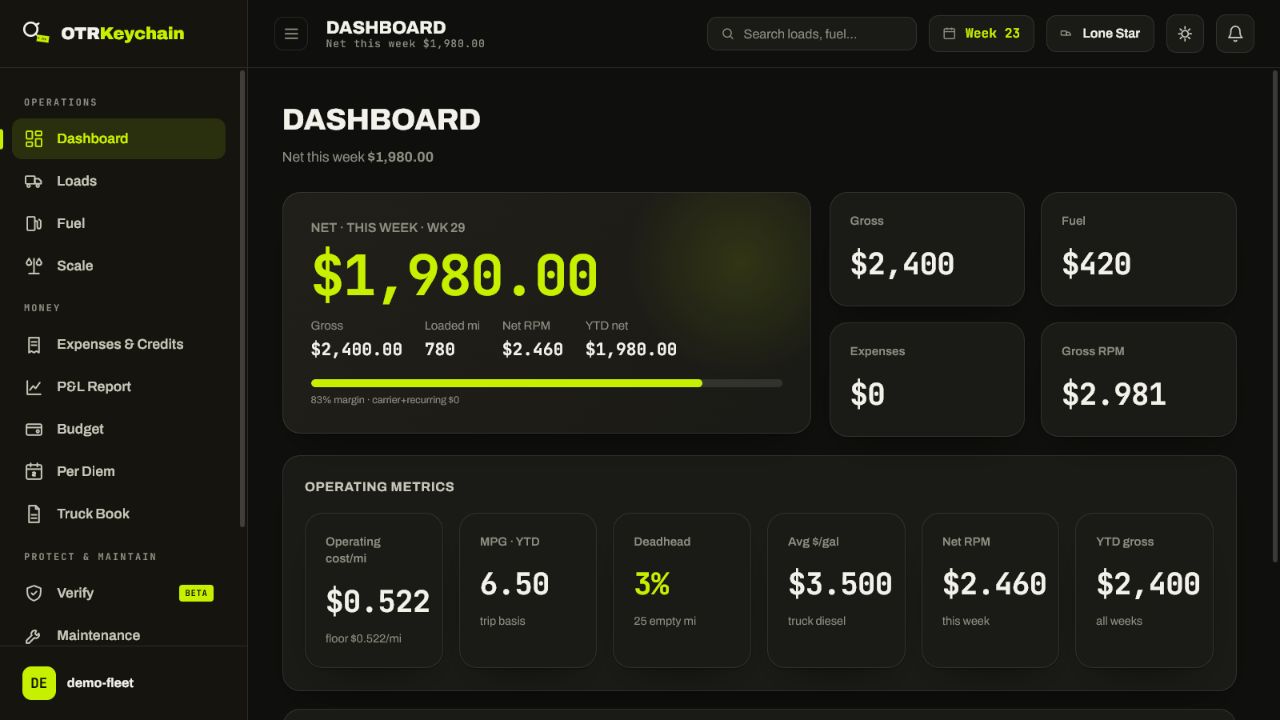
These are real OTRKeychain screens captured from an isolated sample account: fleet totals, truck and driver assignments, saved loads, and operating metrics. The sample names and figures are generic; no customer data is shown.
Stop piecing together paperwork at the end of the week. OTRKeychain keeps your loads, expenses, and reports organized so you know where you stand—without the guesswork. Cancel anytime.
Running more than five trucks? Larger-fleet support is coming later.
Every plan uses the same account and cloud sync. AI suggestions are reviewed by you before they are saved, and reports reflect the records you enter.
For one truck that wants organized records without AI scanning.
AI document scanning and deep broker analysis are not included on Basic.
For an owner-operator who wants AI-assisted capture and deeper checks.
AI suggestions are a starting point; review the fields before saving.
For one owner managing two trucks in one familiar Solo login.
Solo 2-Truck keeps the Solo workflow; it does not add the Small Fleet dispatch console.
For a company coordinating up to five trucks from one account.
See the fleet console preview below for the desktop workflow.
Yes. Record fuel by state and OTRKeychain organizes truck-diesel totals for an IFTA-oriented report. The loads, fuel, and expenses you save feed weekly, year-to-date, per-truck, or combined P&L exports. Maintenance records can be kept per truck or trailer with receipts and printed as a maintenance report. Reports reflect the records you enter, so review them against your source documents before filing or submitting.
On Solo plans and above, scan a ratecon or supported receipt and the AI can suggest fields such as load number, pay, broker, gallons, price, and weight. You review and confirm the suggestions before saving. Basic does not include AI scanning. Document scanning can also turn PODs and BOLs into clean PDFs.
Yes — after you record your loads and expenses, weekly and year-to-date P&L reports can be exported or shared as a clean PDF with your authority information.
Both. Choose the setup that fits your operation, record your carrier percentage and recurring costs, and the app uses those entries to calculate load and report totals. Reefer fuel and per-diem can be tracked when you record them.
Gross revenue is only part of the picture. OTRKeychain tracks your loads, expenses, deductions, and reports so you can see what you actually take home.